
Digital Printing at Blue Oasis
At Blue Oasis Gifts, digital printing is one of the fastest and most practical printing methods for small quantity, emergency jobs, personalized prints, sample printing, business stationery, flyers, brochures, certificates, menus, labels, stickers, invitation cards, office printing and short-run marketing materials.
This page explains what digital printing is, why we use it, why small quantity is usually printed on digital machines, why the price may look higher per piece, what sizes we can print, and how digital printing compares with offset printing.
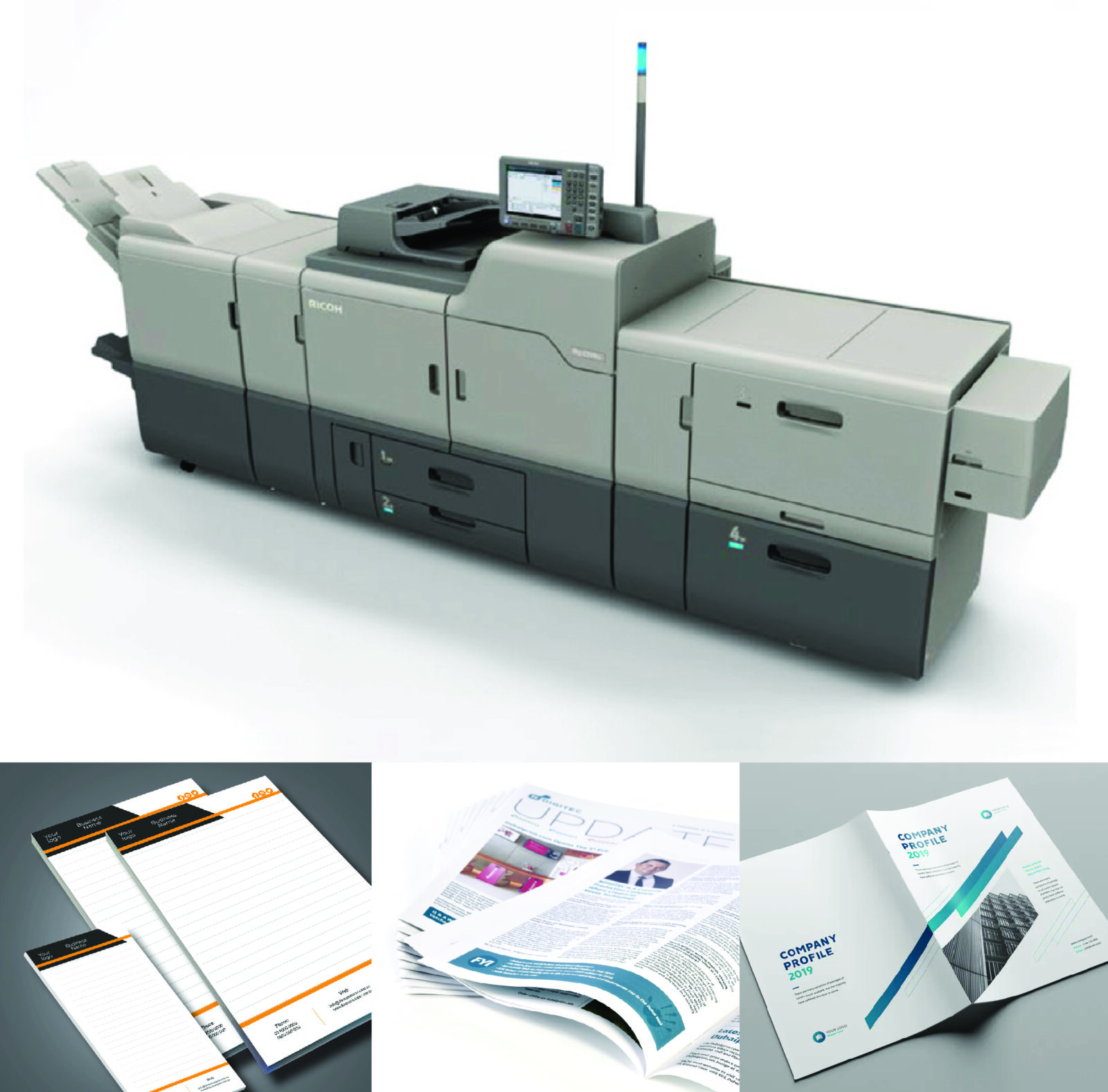
Remember Digital Printing in 1 Minute
Think of digital printing like a professional office printer, but much stronger, sharper and made for business quality printing. The file goes directly from computer to machine. No metal plate, no long setup, and no long preparation like traditional offset jobs.
Digital Printing Size We Can Print
Our digital printing machine is suitable for normal paper sizes, smaller custom sizes and long sheet printing. Digital printing is best when the print size is within the machine printable area and the customer needs short-run, urgent or customized printing.
What Is Digital Printing?
Digital printing is a modern printing process where artwork is printed directly from a digital file such as PDF, JPG, PNG, AI or CDR. The machine reads the design and prints it directly on paper, card, sticker sheet or other suitable materials.
Direct From File
The design is sent from the computer to the digital printing machine. This saves time because no printing plate is required.
Good for Short Runs
Digital printing is perfect when the customer needs 10, 50, 100, 200 or 500 pieces instead of thousands.
Flexible Sizes
We can print smaller sizes, normal 33 × 48 cm sheets, long 33 × 70 cm prints and maximum size up to 100 × 33 cm.
How Digital Printing Works
The digital printing process is simple, fast and flexible.
Why We Use Digital Printing
Digital printing is used when speed, flexibility, small quantity, sample printing or personalized output is more important than the lowest bulk price.
Fast Turnaround
Digital printing is suitable for urgent jobs because setup time is low. It is useful for last-minute flyers, certificates, menus, business cards and event materials.
Small Quantity
Customers do not always need 1,000 or 5,000 pieces. Digital printing helps print only the quantity needed without wasting money on extra stock.
Custom Size Printing
We can print many smaller sizes and custom sizes within our machine limit, including 33 × 48 cm, 33 × 70 cm and maximum 100 × 33 cm.
Easy Design Changes
Names, numbers, prices, dates, QR codes and designs can be changed easily from one print batch to another.
Personalization
Digital printing is excellent for variable data printing like certificates with different names, ID cards, name tags, invitations and customized labels.
Sample Printing
Before printing large quantity, a sample can be printed to check size, color, layout, paper feel and finishing.
Why Digital Printing Can Be Expensive Per Piece
Digital printing may look expensive per piece because the machine, toner, maintenance, operator time, paper handling and finishing cost are divided over a smaller quantity.
Important Point
Even 10 printed pieces still need file checking, paper setup, print setup, operator time, test output, cutting and packing. This fixed work is divided by a small number of pieces, so the per-piece rate becomes higher.
But It Can Still Save Money
Even if the per-piece cost is higher, the total bill may still be lower for short-run jobs because the customer prints only the needed quantity instead of printing extra stock.
Machine Cost
Professional digital printing machines are expensive and need servicing, calibration and maintenance.
Toner / Ink Cost
Digital toner and ink are costly, especially for heavy full-color designs and large solid print areas.
Operator Time
A trained operator checks the file, selects settings, controls the print quality and handles the finishing work.
Paper & Wastage
Special paper, textured card, sticker media and test prints can increase the cost.
Finishing Cost
Cutting, folding, creasing, stapling, lamination, binding, numbering and packing are extra production steps.
Quality Control
Alignment, color output, text clarity, finishing and final job checking all take time.
Why Small Quantity Is Printed on Digital Printing
Small quantity is usually printed on digital machines because digital printing has no plate-making cost and much less setup compared to offset printing.
Digital Printing vs Offset Printing
Both digital printing and offset printing are useful. The right choice depends on quantity, budget, timeline, size, quality expectation and whether the design needs changes.
| Point | Digital Printing | Offset Printing |
|---|---|---|
| Best For | Small quantity, urgent jobs, samples, personalized printing and short-run work. | Large quantity, repeated bulk jobs and jobs where low per-piece cost matters most. |
| Setup | No plate required. Prints directly from the digital file. | Needs plate making and machine setup before printing. |
| Small Quantity Cost | Usually better for small quantity because setup is simple. | Usually expensive for small quantity because of plate and setup cost. |
| Large Quantity Cost | Per-piece cost stays higher in very large runs. | Per-piece cost becomes cheaper when quantity is high. |
| Speed | Fast for short-run and urgent jobs. | Slower at the start because of setup, then efficient for bulk. |
| Size | We can print small sizes, normal 33 × 48 cm, long 33 × 70 cm and maximum 100 × 33 cm. | Offset can handle different sizes depending on machine, plate and paper setup. |
| Design Changes | Very easy to update names, dates, QR codes and content. | Changes are difficult once plates are prepared. |
| Color Consistency | Very good for most business jobs. | Excellent for large-run color consistency and Pantone control. |
| Personalization | Excellent. Each print can be different. | Not suitable for every-piece personalization. |
| Common Products | Business cards, flyers, menus, certificates, tags, labels, stickers and short-run brochures. | Large quantity brochures, books, packaging, magazines and bulk flyers. |
| Simple Rule | Best for small quantity, urgent work and sizes within digital print limit. | Best for large quantity and lower bulk price. |
When Should You Choose Digital Printing?
Choose Digital Printing If
- You need small quantity.
- You need the job urgently.
- You want a sample first.
- Your print size is within 100 × 33 cm.
- You need 33 × 48 cm or 33 × 70 cm printing.
- You need different names, numbers or QR codes.
- You do not want to print extra stock.
Choose Offset Printing If
- You need large quantity.
- You want lower cost per piece.
- The design is final and will not change.
- You need better bulk production efficiency.
- You are printing thousands of pieces.
- You have enough time for production.
Easy Decision Rule
If the job is small, urgent, personalized or within 100 × 33 cm size, choose digital printing. If the job is large quantity and bulk cost-saving is the main goal, choose offset printing.
Digital Printing Products
Digital printing is suitable for many office, business, retail and event printing needs. We can print smaller sizes, normal sheet sizes and long sheet sizes within our machine limit.
How Blue Oasis Deals With Digital Printing
At Blue Oasis, we handle digital printing like a complete job process, not only machine printing. We check the artwork, size, paper, quantity, color expectation, finishing and delivery time before printing. This helps reduce mistakes and gives customers a clear, practical printing solution.
We Check the Requirement
We confirm item, size, quantity, paper type, single-side or double-side print, finishing and urgency before starting.
We Check the File
We review artwork size, text clarity, image quality, bleed, margins and file format before printing.
We Suggest Paper
We help customers choose suitable paper or card based on the product, budget, usage and finishing style.
We Print Carefully
We print according to the correct size and machine setting, then check output, alignment and color appearance.
We Finish the Job
After printing, we do cutting, folding, lamination, binding, creasing, numbering or packing if the job needs it.
We Support Urgent Work
For emergency jobs, we guide the customer to the fastest possible option depending on artwork, quantity and workload.
Blue Oasis Digital Printing Promise
We focus on fast response, clear size confirmation, practical material suggestion, neat finishing and customer-friendly guidance. Our goal is to help customers print only what they need, save time, avoid unnecessary bulk printing and complete urgent work with confidence.
How Digital Printing Helps Our Customers
Digital printing helps customers when they need quick prints, low quantity, custom names, design changes, urgent business materials or sample approval before bulk production.
Emergency Digital Printing Work
For urgent requirements, digital printing is very helpful. For example, business cards can be completed in around 1 hour when the artwork is print-ready, the quantity is suitable, the paper is available and the machine schedule allows it. This makes digital printing a good choice for last-minute meetings, exhibitions, office openings, events and urgent customer visits.
Important Quality Notes Before Printing
Print quality depends not only on the machine, but also on correct artwork, paper choice, print size and finishing details.
Questions & Answers
These are common customer questions about digital printing.
What is digital printing?
What is the maximum size for digital printing?
What is the normal digital printing size?
Can you print 33 × 70 cm in digital printing?
Can you print smaller sizes?
Why is digital printing used for small quantity?
Why is digital printing more expensive per piece?
Is digital printing cheaper than offset printing?
Which is better, digital printing or offset printing?
Can digital printing print different names or numbers?
Is digital printing good quality?
Can I print only one sample?
Why does printed color look different from screen color?
What files are best for digital printing?
Can Blue Oasis do urgent digital printing?
When should I not choose digital printing?
Digital Printing for Business in UAE
Digital printing is widely used by companies, schools, restaurants, retail shops, events and offices in the UAE because it is fast, practical and flexible for day-to-day printing needs. Blue Oasis supports customers with short-run printing, emergency business cards, flyers, brochures, stickers, labels, certificates and presentation materials.
For Companies
Companies use digital printing for business cards, office stationery, short-run flyers, labels, product sheets, brochures, exhibition materials and meeting handouts.
For Small Businesses
Small businesses can print lower quantities and update their designs easily without spending on unnecessary stock.
Need Digital Printing?
Send Blue Oasis your artwork, size, quantity, paper type and finishing details. We will help you choose the best digital printing option for your job.